.svg)
By Ryland Beard, Founder of Ledge · Updated October 27, 2026
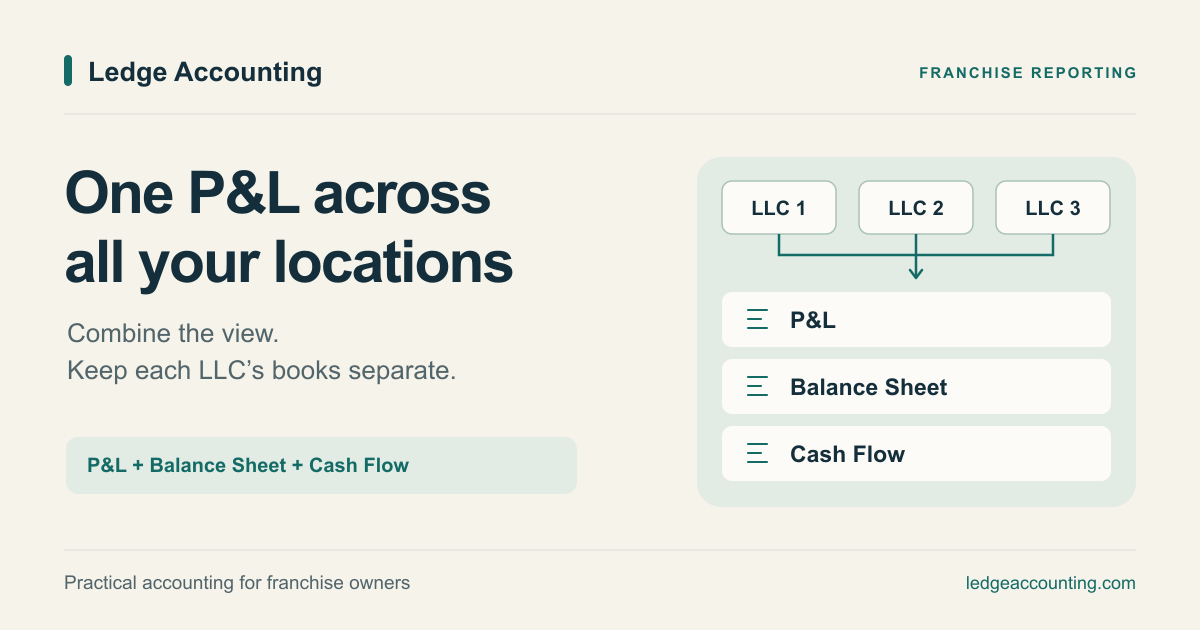
To see one profit and loss (P&L) statement across your franchise locations, combine each company’s report for the same period using consistent accounts. Keep a column for each company and add a combined total. Each LLC keeps its own books.
You can do this with a spreadsheet, QuickBooks Spreadsheet Sync, enterprise accounting software, or Switchbooks. The right choice depends on whether you want to keep your existing software and whether you need adjustments for transactions between companies.
You can combine balance sheets and cash flow statements, too. Together, the three reports show how much the group earned, what it owns and owes, and where its cash went.
Before starting Ledge, I worked as CFO of a franchisor as it grew from two locations to 80. Ledge’s focus on franchise bookkeeping grew out of that experience.
Start with the locations and companies you want to include
One LLC might operate several locations. Another owner might have one LLC per location, plus a separate management company.
That distinction affects the reporting setup. QuickBooks location tracking organizes activity within one company. Combining reports from separate company files is a different task.
Decide which companies belong in the report before adding anything up. Excluding a management company that carries shared payroll or overhead can make the locations look more profitable than the business as a whole.
Show each company in its own column, plus a combined total. If each location has its own LLC, those columns also give you a multi-location P&L. If one LLC runs several locations, you need location tracking within that company as well.
Make the books comparable before combining them
The same kind of income or expense should appear in the same place on every company’s reports.
Use a common chart of accounts
The chart of accounts is the list of accounts used to organize your books. Use the same account names and types, with matching main accounts and subaccounts across companies. If you use account numbers, keep those consistent too.
If one company puts merchant fees under “Bank Charges” and another uses “Payment Processing,” choose one approach. Consistent accounts make reports easier to compare and help reporting software combine the right rows.
Record franchise fees the same way everywhere
Keep recurring royalties, contributions to the franchisor’s brand fund, and local advertising in separate, consistent accounts.
If one location shows royalties separately while another puts them in general expenses, the comparison becomes harder to read. Check the charges against the franchise agreement and supporting statements so you can distinguish a different fee arrangement from a bookkeeping inconsistency.
Match card deposits to the sales behind them
Card deposits from your point-of-sale (POS) system may already be reduced by processing fees, refunds, or other deductions. Processor settlement reports show the activity behind the payout.
In a simplified example, assume a location earns $10,000 in sales and receives $9,700 after $300 in processing fees, with no taxes, tips, refunds, or other adjustments. Recording only the deposit as sales understates both revenue and processing expenses by $300.
Profit is unchanged in this example, but sales and expense percentages are wrong. That makes it harder to compare locations.
Use the same reporting dates and accounting methods across companies, too. Finish every company’s September books before comparing September results.
Four ways to get a combined P&L
Disclosure: I founded both Ledge and Switchbooks, one of the options below.
1. Export each company’s reports into a spreadsheet
Export the reports, put matching accounts on the same rows, and add a total column. Keep each company’s column visible so you can check it against the original report.
This works well for a small, straightforward group with occasional reporting needs. Someone still needs to update the exports, match new accounts, check formulas, and record adjustments. Balance sheets and cash flow statements need their own preparation and checks.
2. Use QuickBooks Online Advanced with Spreadsheet Sync
If your companies already use QuickBooks, Spreadsheet Sync can bring their P&Ls and balance sheets together in Excel.
You need access to Spreadsheet Sync, such as through QuickBooks Online Advanced, and Office 365 Excel. You do not need Advanced for every company: Simple Start, Essentials, and Plus companies can join a reporting group.
This is a practical option when you want to keep QuickBooks and someone can maintain the Excel reports.
For more on the QuickBooks options, see Ledge’s guide to consolidating multiple QuickBooks companies.
3. Use an enterprise accounting system
If your companies frequently lend money or charge fees to one another, you may need software that removes this internal activity from the group’s reports. This is called intercompany elimination.
For example, Sage Intacct supports configured intercompany eliminations. Intuit Enterprise Suite also provides consolidated statements and intercompany accounting tools.
These systems may fit groups with complex ownership or reporting requirements. Include setup and ongoing accounting work when comparing their costs.
4. Combine reports in Switchbooks
Switchbooks combines P&L, balance sheet, and cash flow reports across selected companies. Each company keeps its own books, and you can compare company columns alongside the total.
Reporting is included in the $25 monthly price per company. Five companies cost $125 per month for the software.
To build the view:
- From the screen where you choose a company, open Consolidation → P&L.
- Use the Company picker to select the companies to include.
- Choose the reporting period.
- Set Group By to Total for the combined view or Company for company columns.
Balance Sheet and Cash Flow are available in the same Consolidation section. You can also save recurring company groups.
This fits owners who want combined reports in their bookkeeping software. If you are switching systems, check historical balances and the tools each business depends on before moving.
Combine the balance sheet and cash flow statement, too
Each statement answers a different question:
A profitable group can still use cash to repay loan principal, buy equipment, or make owner distributions. Those movements are not all expenses on the P&L.
Review all three statements together. Keep the company columns available: knowing the group has cash is different from knowing which LLC holds it and which LLC has bills coming due.
Check money moving between your companies
A combined report adds the companies’ numbers together. A formally consolidated report also removes internal transactions and balances, so the group is presented as one business. That distinction matters when you need a consolidated P&L for multiple LLCs.
- Management fees: If one included company charges another, the combined P&L shows revenue for one and an expense for the other. Net profit may be unchanged, but revenue and expenses include internal activity until those amounts are removed.
- Loans between companies: If one included LLC lends another $10,000, the combined balance sheet still shows both the amount owed to the lender and the borrower’s debt.
- Cash transfers: Moving $10,000 between two included LLCs does not create cash for the group. Even when the transfer cancels in total cash movement, cash flow categories may still need adjustment.
Switchbooks provides combined reports for managing your businesses. It does not automatically remove intercompany activity, convert currencies, or make adjustments required for formal consolidation. Those need separate accounting review.
Make this part of the monthly close
Each month, reconcile the books, check that accounts and reporting dates line up, review activity between companies, and open the combined statements alongside the company columns.
Then look for changes you can act on. Did payroll rise faster than sales? Did equipment purchases explain the drop in cash? Does a profitable company have more unpaid customer invoices?
The right franchise bookkeeping software makes those questions easier to answer. Consistent books make the answers worth using.
Questions franchise owners ask
Can I see one P&L when every franchise location has its own LLC?
Yes. Combine the companies’ P&Ls for the same dates, with matching account names, types, and subaccount structure. Show each company beside the combined total. Include any management company whose shared costs belong in the group’s results; each LLC still keeps separate books.
Can I combine reports without leaving QuickBooks?
Yes. Export reports into a spreadsheet or use Spreadsheet Sync to combine P&Ls and balance sheets in Excel. You need access to Spreadsheet Sync, such as through QuickBooks Online Advanced, but eligible Simple Start, Essentials, and Plus companies can join the reporting group.
Can I combine the balance sheet and cash flow statement as well?
Yes. Switchbooks combines P&L, balance sheet, and cash flow reports across selected companies, with company columns available alongside the total. Use the same reporting dates across companies and review the three statements together.
Does a combined report remove transactions between my companies?
Adding company reports together does not remove internal fees, loans, or other intercompany activity. Switchbooks does not perform automatic intercompany eliminations or currency conversion. Have your accountant determine which adjustments are needed before using the reports for formal consolidation.
If you want combined reporting inside your accounting software, see how Switchbooks brings companies together. If you need help getting your locations’ books ready for that view, talk with Ledge about franchise bookkeeping.
.png)